Discover how to elevate your digital presence with a personalized talking AI avatar!
Our comprehensive step-by-step guide will help you unleash your creativity and design an avatar that captivates your audience. Whether you’re new to AI technology or an experienced user, our guide will empower you to create a standout virtual personality that engages in natural conversations.
Creating a talking AI avatar is an exciting journey into the world of artificial intelligence and creative design. Whether you’re looking to develop a unique character for your YouTube channel, a virtual assistant, or just for fun, this step-by-step guide will walk you through the process. Let’s dive in!
Step 1: Character Creation
Tool: Midjourney
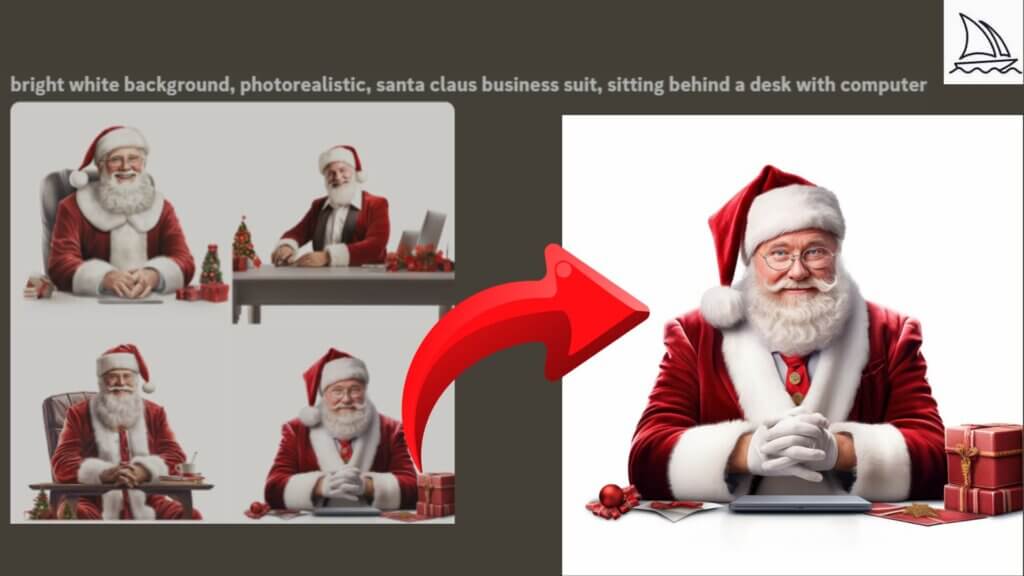
The first step in creating your AI avatar is designing its visual appearance. Choose a platform like Midjourney AI for this task. These tools or similar ones are intuitive and offer a wide range of customization options.
Try the Prompt: For a festive twist, use "Bright white background, photo-realistic Santa Claus sitting behind the desk with a computer."
Step 2: Script Writing
Tool: ChatGPT
Next, you’ll want to give your avatar a voice and personality. ChatGPT is perfect for writing scripts that are engaging and full of character.
Try the Prompt: "You will talk as an AI Avatar who will be the presenter on a YouTube channel called The Santa Claus Express. Your name is Santa Claus. Write a script of your first video, where you will be teaching people how to create their own avatar for free."

Step 3: Voice Synthesis
Tool: ElevenLabs
Once you have your script, it’s time to bring your avatar to life with a voice. ElevenLabs offers advanced AI technology to create lifelike vocal expressions for your avatar.

Step 4: Talking AI Avatar Integration
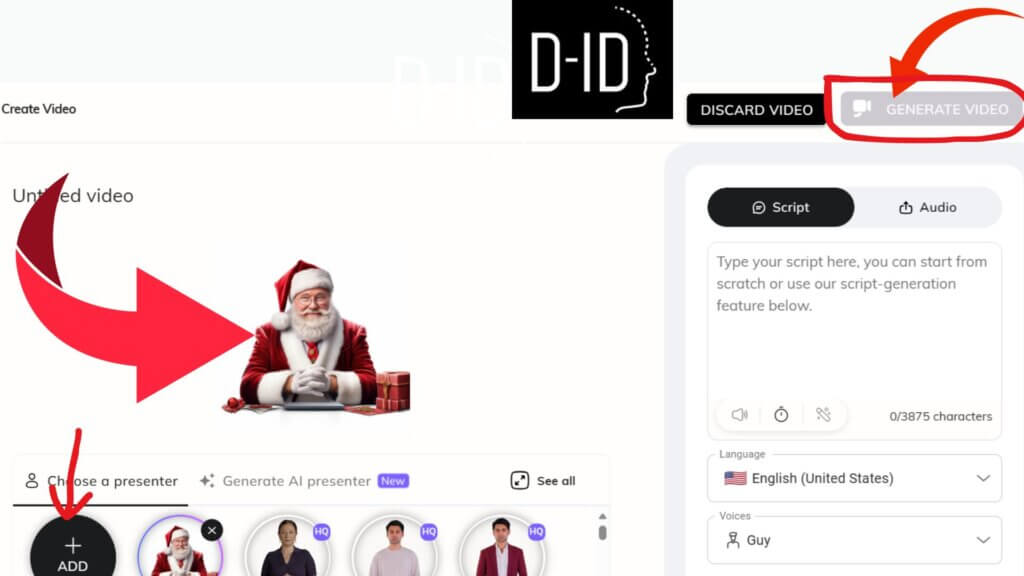
Tool: D-ID
Now, integrate your character’s design and voice. D-ID is a platform that combines visuals and audio to create a seamless, talking AI avatar. This step is crucial for ensuring your character appears realistic and engaging.
Step 5: Character Presentation
Tool: Canva Pro
Finally, present your character using a tool like Canva Pro. This platform provides creative flexibility, allowing you to design captivating presentations for your avatar, perfect for sharing on social media or your website.

Creating a talking AI avatar is a blend of technology and creativity. Each step in this process is crucial to bringing your vision to life. Experiment with different tools and approaches to find what works best for you. The possibilities are endless, and the journey is as rewarding as the outcome.
Don’t forget to share your creations and experiences with others embarking on this exciting journey. Happy avatar creating!
For more insights and tips on integrating AI into your content strategy and overall business, subscribe to our FREE newsletter and join a community of 59K+ forward-thinking creators. Subscribers will get 100 ChatGPT prompts, a FREE AI writer to go viral on social media, and Our FREE “Building A Minimum Viable Business in Record Time” Course, all for FREE. Subscribe Now.